private sharable html links
Table of Contents
html???
the start
Since I started using agents to code (think Claude code, Codex, Opencode, …) frequently I will create a plan, and then read, edit, and hand it off to a fresh agent to build the actual feature. The standard at first was to make these plans in markdown. Markdown is easy to read in plaintext files or editors, which is great. However, for complicated plans, outputting an HTML plan is both easier to read and easier to understand what the actual changes will be, because the agent can include snippets of mockups, which helps me quickly decide what direction I want to go, without building the whole feature. I got this idea from @theo and Thariq’s article.
the problem
After using this approach for a while, I realized that I wanted to share some of these plans with my team, to help us make joint decisions. Now, lots of these joint decisions involve information that is company sensitive, and should not be publicly hosted on the internet. So, what do you think is the best way to share an HTML file? Without publishing it on the internet or pushing it to a git repo (which for a lot of these plans I don’t want to do as they are ephemeral), the most obvious way is to email it. However, modern email does not appreciate HTML attachments. So, the solution to that is to zip the file, send that, then the recipient has to download it, unzip it, and open it in a browser. This is WAY to many steps to make it worth the process. (I’m sure someone on here probably has an obvious solution I have not though of for this, however, this is my solution:) Instead, why not host it privately? Oh, great idea, except any private hosting service costs money. Claude will happily host pages for you, but anyone with a link can access them. So I asked the agent if there was an open source way to solve this problem. Of course there is. :)
the solution
My solution combines Netlify, a private github repo, and a custom skill for my agents. So when an agent generates an HTML file, it finds the skill and copies and pushes the file to GitHub, and Netlify runs pagecrypt to encrypt the page, and it hands me back a link with the key in the link. I can easily share that link with anyone who I want to be able to see it, and I have no worries about people who don’t have the magic link being able to access the page. At the bottom of this page are instructions that you can hand your own agent to set up a similar system for you. I think this is my favorite mini project that I have created with agents so far, in terms of how giddy I get when I think of it or when I use it. Since I have set it up, I have not needed to go back and work on bug fixes to make it useable. The one improvement that I might want is that, if I want someone else to have their agent publish a private page for me, there is no real way to make that happen. Also, if I am talking to an agent and it is not on my computer, it cannot publish unless it has access to my GitHub credentials. However, improving those two things would completely change the project, afaict (or in actuality, as far as a llm can tell).
an example
Here is an example so you can see how it works: how this link works (Note, this was built by Grok 4.6 if curious)
copy me
Copy the block below and give it to an agent.
Set up encrypted static HTML hosting for this operator.

You are building a private HTML drop. The operator adds self-contained HTML files to a private GitHub repository. Netlify encrypts each file with PageCrypt and publishes only the ciphertext. A magic link is the public URL plus `#` and the password. The browser decrypts. The URL fragment never goes to the server.

Done when every item below is true:
- The GitHub repository exists and `gh repo view --json isPrivate` reports `true`.
- Netlify builds on every push to `main` with `npm run build` and publish directory `dist`.
- The site is reachable at the operator's SITE_URL over HTTPS.
- One sample page unlocks from its magic link.
- Fetching that route without the fragment does not contain the sample page's plaintext sentence.
- The encrypted dashboard at SITE_URL lists the sample page and can copy its magic link.

This is a from-scratch setup. Do not clone someone else's private hosting repo.

## Collect choices

If any of these are missing, ask once, then continue:

- GitHub owner (user or org) and repository name
- SITE_URL (custom domain, or the Netlify hostname if they want that for now)
- Password storage: sidecar files in Git (simplest, because the repo is already private) or Netlify environment variables
- Whether they also want a publisher skill for one-command publish from other folders

Confirm `gh auth status` is logged in. If they chose the Netlify CLI path, confirm `netlify status` is logged in. If a login is missing, stop and tell them the exact command to run.

## Create the project

Use Node 22+, `pagecrypt` 7.1.0, and this layout:

    package.json
    netlify.toml
    .gitignore
    pages/_dashboard.password
    pages/hello.html
    pages/hello.password
    scripts/build.mjs
    test/build.test.mjs

`.gitignore` must ignore `node_modules/`, `dist/`, `.netlify/`, and `.env*`.

`package.json` scripts: `build` runs `node scripts/build.mjs`, `test` runs `node --test`. `private` is true. `type` is `module`.

`netlify.toml`:

- build command `npm run build`
- publish `dist`
- `NODE_VERSION` `22`
- `SITE_URL` set to the operator's site
- if they chose sidecars, `SECRETS_SCAN_OMIT_PATHS` is `pages/*.password,pages/**/*.password`

Keep a short human README for the operator. Put no passwords in it.

### Page contract

Every shared page is one self-contained `.html` file under `pages/`. Inline CSS, JavaScript, images, and data. Add an inline SVG favicon in `<head>` with a `data:image/svg+xml;base64,...` `rel="icon"` link. Nested folders are routes: `pages/client-a/report.html` publishes at `/client-a/report/`. `pages/index.html` is reserved for the generated dashboard.

Each page's password comes from, in this order:

1. `PAGECRYPT_PASSWORDS` JSON, keyed by route (`hello`, `client-a/report`)
2. the sidecar `pages/<same-path-as-html>.password`
3. `PAGECRYPT_PASSWORD` for every page still missing one

The dashboard password comes from `PAGECRYPT_DASHBOARD_PASSWORD`, else `pages/_dashboard.password`.

Passwords contain only letters, numbers, `.`, `_`, `~`, and `-`. Prefer 20 or more random characters. PageCrypt 7.1.0 does not percent-decode the magic-link fragment, so spaces, `#`, and similar characters produce a link that looks valid and cannot decrypt. Reject those at build time.

### Sample page

`pages/hello.html` is a small self-contained page whose body contains this exact sentence:

If you can read this without a password, the build is broken.

Give it an inline SVG favicon. Write a URL-safe password into `pages/hello.password` and a different URL-safe password into `pages/_dashboard.password`.

### Build

Implement `scripts/build.mjs` against this contract. Read PageCrypt's API from the installed `pagecrypt` 7.1.0 package. Cache nothing from memory about its function signatures.

For each `pages/**/*.html`:

- resolve its password as above
- encrypt with PageCrypt
- write `dist/<route>/index.html`
- copy the source favicon `<link rel="icon" ...>` into the encrypted shell's `<head>` so the lock screen shows it

Then generate a dashboard HTML document in memory (no plaintext dashboard file in `pages/`):

- one card per page, newest updated first
- Copy magic link and Open
- the operator's SITE_URL in the chrome, not a borrowed domain
- encrypt it with the dashboard password
- write `dist/index.html`

Print magic links after a successful build. During a Netlify build (`NETLIFY=true`), redact environment-derived passwords in that printout as `#<password-hidden>` and do not write a share-links file. For local builds, write the links to `.netlify/share-links.txt`.

Fail the build when `pages/index.html` exists, when two files would publish to the same route, when a page has no password, or when a password fails the charset rule.

Wipe `dist/` at the start of every build so deleted pages disappear.

### Tests

Write tests that fail until the contract holds:

- plaintext from the sample page is absent from `dist/hello/index.html`
- the hello magic link is `SITE_URL/hello/#<password>`
- environment passwords override sidecars
- Netlify builds redact environment-derived links and skip the links file
- invalid password charset is rejected
- `pages/index.html` is rejected
- the dashboard HTML includes Copy magic link and the page's magic link

Run `npm ci`, `npm test`, then `npm run build`. Done with this step when tests pass and the local share-links file contains the dashboard link plus the hello link.

## GitHub

Create the repository as private, with default branch `main`.

    gh repo create OWNER/REPO --private --source . --remote origin --push

If the owner is an org, pass `--owner`. Then verify:

    gh repo view OWNER/REPO --json isPrivate,url,visibility

Done with this step when `isPrivate` is true and `main` is on GitHub. If GitHub push protection blocks a `.password` sidecar, either allow those files for this private repo or switch this setup to environment-only passwords and keep sidecars out of Git. Do not continue with a public repository.

People with clone access can read every page's plaintext and every committed sidecar. That is expected. PageCrypt encrypts the Netlify output. It does not encrypt Git history.

## Netlify

No GitHub Action and no Netlify access token in the repo. Netlify's Git integration runs the encryption build on every push.

If the Netlify CLI is authenticated, create the site from this directory, set the production branch to `main`, and leave the build settings from `netlify.toml`. If the CLI is not available, give the operator these clicks and wait:

1. Netlify: Add new project, Import an existing project, this private GitHub repository.
2. Leave build command `npm run build` and publish directory `dist`.
3. Deploy.

Then, in either path:

- Confirm SITE_URL in the Netlify environment matches the domain they will share. Override it there if `netlify.toml` still has a placeholder.
- If they chose environment-only passwords, add `PAGECRYPT_DASHBOARD_PASSWORD` and either `PAGECRYPT_PASSWORDS` or `PAGECRYPT_PASSWORD` with the Builds scope before the first successful deploy. Values may be marked secret. After changing them, trigger a new deploy.
- Attach the custom domain under Domain management. Create the DNS record Netlify shows. Wait until HTTPS is provisioned.

Done with this step when the latest production deploy is successful and the site answers on SITE_URL.

## Confirm production

1. Open the hello magic link. The PageCrypt lock accepts the password in the fragment and then shows the sample sentence.
2. Open SITE_URL, unlock the dashboard, and confirm hello is listed. Copy magic link matches the hello link.
3. Fetch `SITE_URL/hello/` without the fragment (curl is enough). The response must not contain `If you can read this without a password, the build is broken.`

Hand the operator the dashboard magic link and the hello magic link. Treat both as secrets. Anyone with a magic link can read that page and forward the link.

## Publisher skill

Only if they asked for one-command publish from other folders. Add a skill with a script that:

- takes a self-contained `.html` path and an optional slug
- finds or clones their private hosting repo (repo path overridable by env)
- stops on a dirty clone
- fast-forwards
- copies the file to `pages/<slug>.html`
- reuses the existing sidecar on refresh, or generates a URL-safe password for a new page
- runs the encrypted build
- commits only that page and its sidecar
- pushes
- prints the magic link as the last line

Refreshing a slug replaces the page and keeps the password. Rotate only when asked or when a link may have leaked. A failed build, commit, or push is a hard stop: report the error and leave the local files.

## Day-to-day

Add a page by saving `pages/<slug>.html` and `pages/<slug>.password`, then pushing. Netlify deploys the encrypted route at `SITE_URL/<slug>/`.

Rotate a link by changing that sidecar (or env value) and pushing. The old fragment cannot decrypt the new file.

Remove a page by deleting its `.html` and `.password` and pushing.

Share magic links through an end-to-end encrypted channel. This is client-side encryption, not identity-based access control.
takeaway
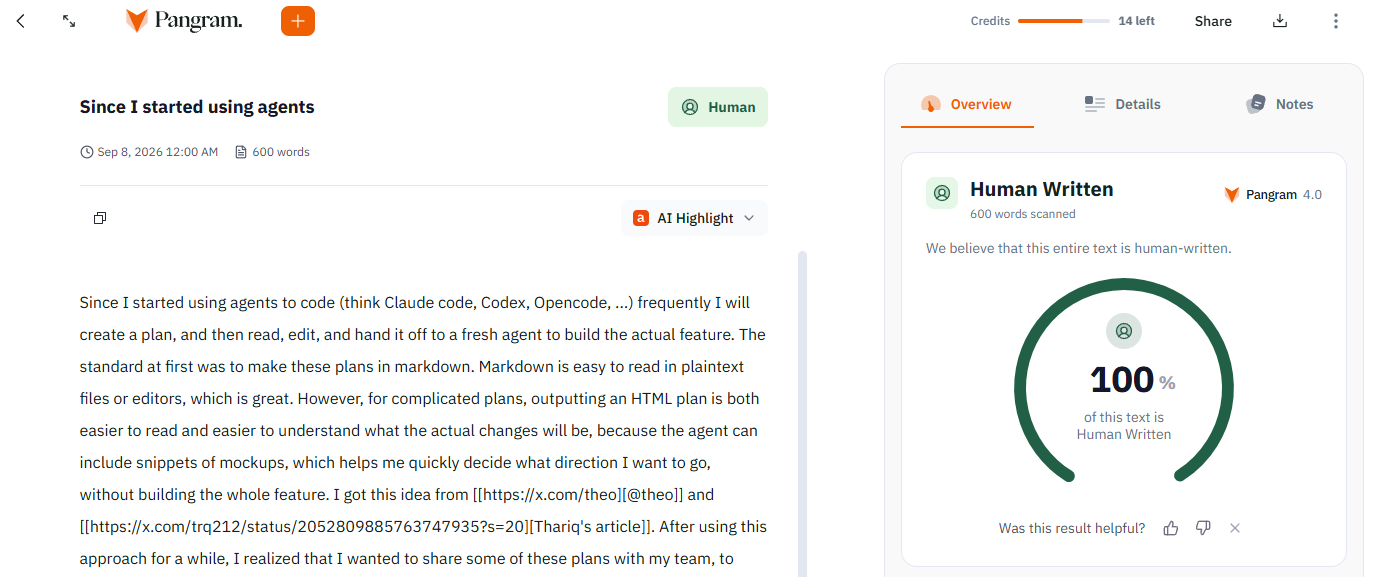
Now, clearly how I use AI has changed since last year when I published my brief article about it. I will write an update and when I do link it here. Also as I was typing I kept wondering, hmm I haven’t written anything in a while, I wonder if I sound like an AI. (The answer is no). I did explicitly censor myself from a few very AI sounding phrasings when describing this project. xD